
Model the stadium
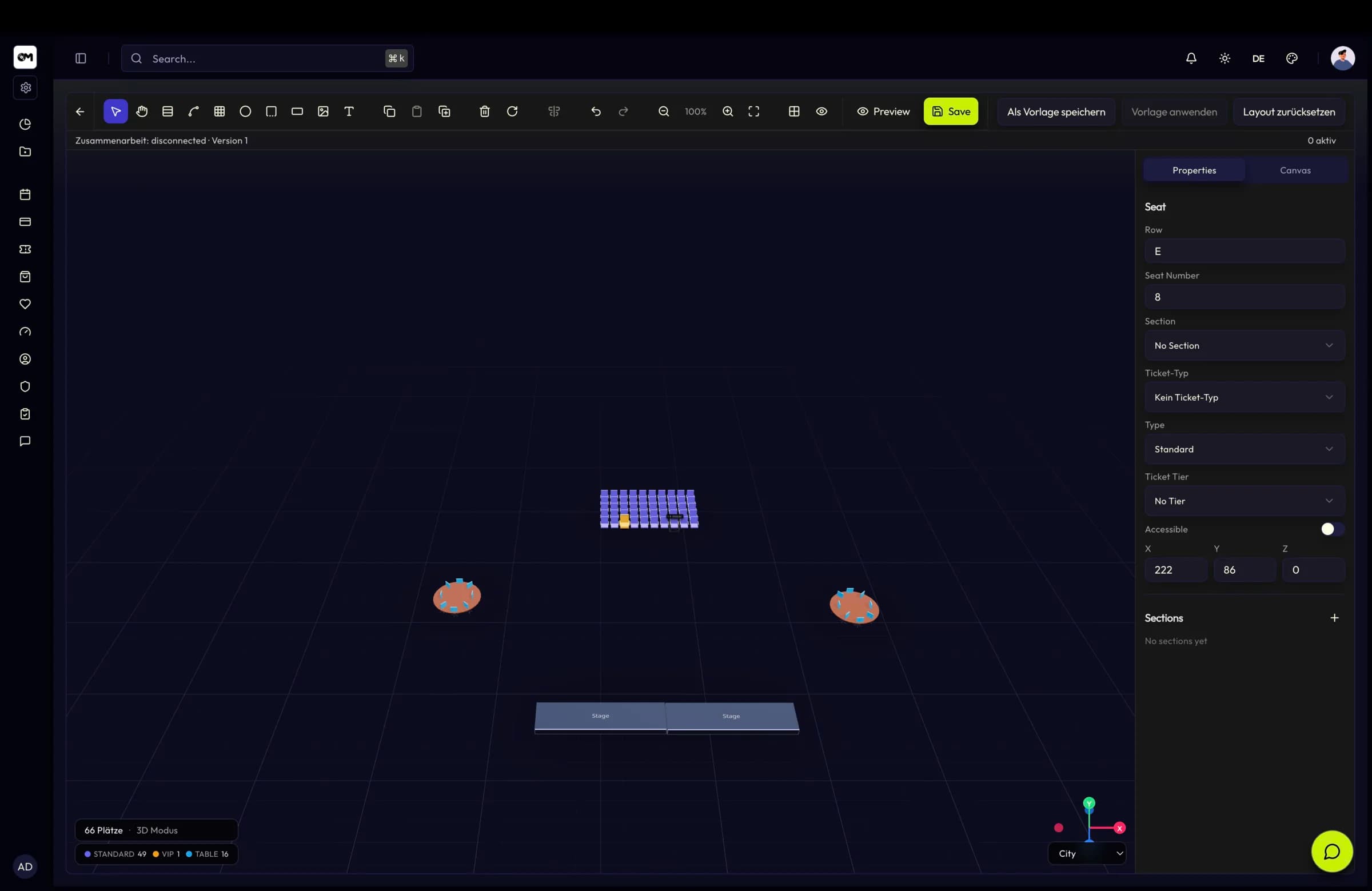
Import the venue model, place seats with their Z coordinate and set the camera per seatmap.
Sports & stadiums
Model the stands in 3D, sell season tickets that renew themselves, scan a full house at the gates and reward the fans who are there every week.
In short
A sports club sells the same seat many times a season, to the same person. TixFin models that directly: venues can be 3D with a GLB or GLTF model and seats on a Z axis for tiers and stands, ticket types can be flagged as memberships with a duration in months, grace period, auto-renewal and renewal reminders, and members carry a unique member number and lifetime tier. On matchday, several check-in lists per fixture validate their own allowed ticket types server-side, and loyalty credits points for every scanned check-in.
3D venue
Venues can be 2D or 3D per venue, so existing plans keep working while new ones use the real building. The 3D editor is Three.js-based with an orbit camera and environment lighting, and seats carry a vertical coordinate so tiers and stands sit where they physically are.
Challenges
A season ticket is not twenty separate purchases. It needs a term, a renewal path and a member number that survives the season.
An upper-tier corner behind a pillar looks the same as the halfway line on a 2D chart. It does not in 3D.
Gate throughput is the whole job. A wrong ticket type has to be rejected at the turnstile, not sorted out later.
Capabilities
Import a GLB or GLTF model as the venue floor plan and place seats with a Z coordinate for tiers, floors and stands.
Each seatmap stores its own camera position, target and field of view, so buyers open on the view that explains the seat.
Membership ticket types with a duration in months, an optional grace period, auto-renewal and automatic renewal reminders.
Unique member numbers, lifetime tiers with escalating benefits, Active/Expired/Cancelled status with full renewal history.
Multiple check-in lists per fixture with their own allowed ticket types, scan statistics and per-list CSV export.
Points per euro and per scanned check-in, a streak bonus for consecutive visits and tiers that multiply what the most loyal fans earn.
Key facts
Workflow
Import the venue model, place seats with their Z coordinate and set the camera per seatmap.
Flag ticket types as memberships, set the term, grace period, auto-renewal and tier benefits.
Publish each matchday with its own inventory, linked to the same seatmap and member base.
Run gate-specific check-in lists on matchday; every scan credits loyalty points and updates the streak.
Features
2D and 3D venues, a collaborative seatmap editor with live presence and element locking, reusable templates and a clean reservation flow.
Ticket types that act as memberships, with duration, grace period, auto-renewal, lifetime tiers, member numbers and POS renewal.
QR check-in and check-out, multiple check-in lists per event, temporary scanner accounts and on-site data capture with CSV export.
Points per euro, check-in points, streak bonuses, tiers with multipliers, a reward catalogue with voucher codes and a personal member dashboard.
FAQ
Model the stands, launch the season pass and give every matchday its own gates.