
Create check-in lists
In the tickets area, define the lists the event needs and choose which ticket types each one accepts.
Check-in & access
QR check-in and check-out, several lists per event with their own allowed ticket types, and scanner accounts you can hand out and take back in seconds.
In short
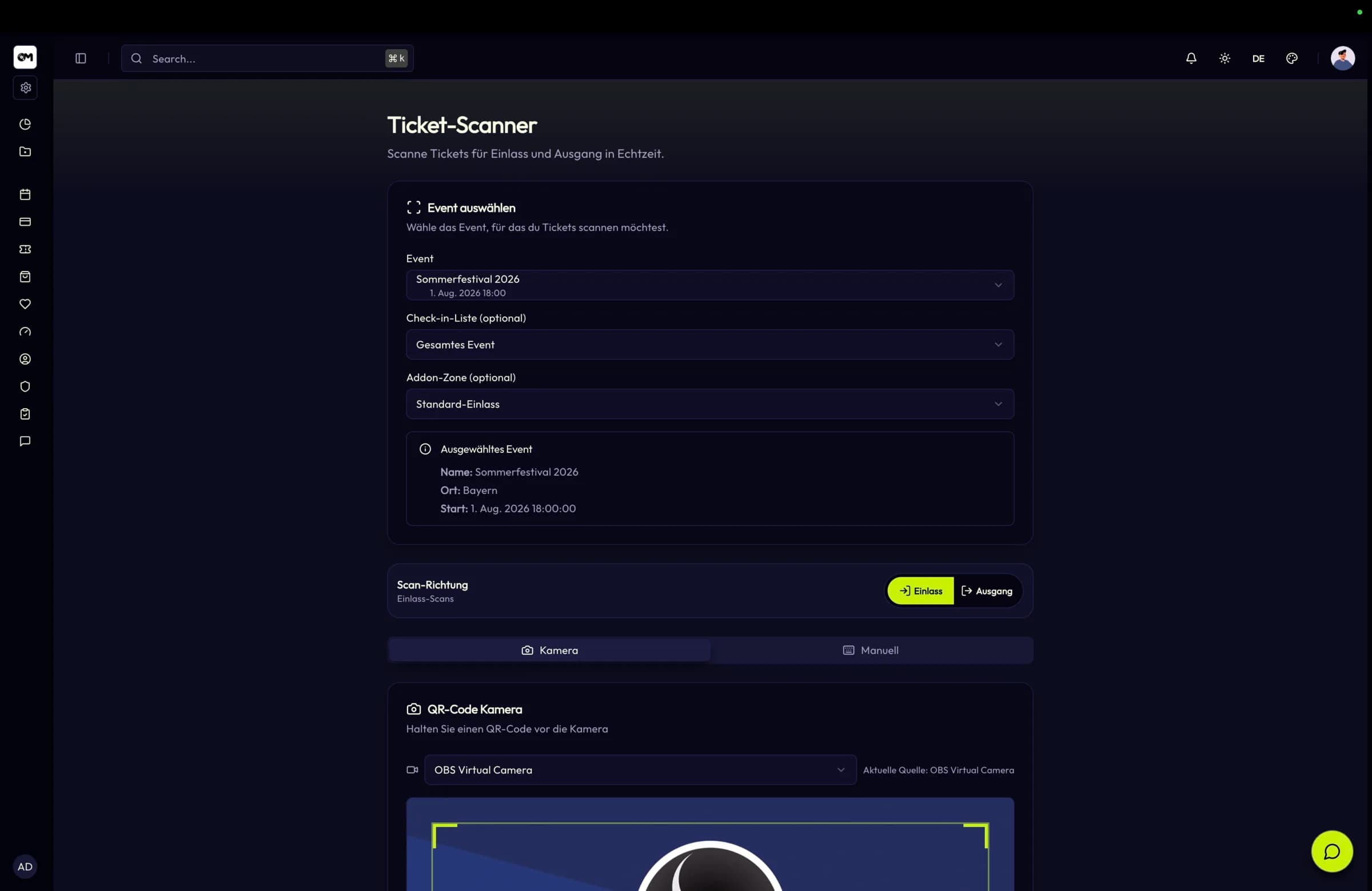
Check-in and check-out with QR codes
Several check-in lists per event, validated server-side
Temporary scanner accounts, scoped and revocable
Check-in & access
Answers captured during a scan are stored server-side against that specific scan event, and check-in CSV exports add a column per field key. What the door team recorded is usable the next morning without a transcription step.
How it works
In the tickets area, define the lists the event needs and choose which ticket types each one accepts.
Give a list its own extra fields so the scanner asks for exactly what this entrance has to record.
Issue temporary scanner accounts, scoped to the event or to individual lists, and revoke them when the shift ends.
Check guests in and out, watch the live counts per list and export the CSV when the event closes.
Capabilities
An event can run several active lists, each with its own ordering, description and set of allowed ticket types — press, VIP and general admission stop colliding.
The scanner sends the check-in list identifier and the backend validates event assignment, active state and permitted ticket types before accepting the scan.
Time- and context-limited scanner access for staff without a full account, restrictable to specific check-in lists rather than the whole event.
Each list can define its own extra fields — text, textarea, select and checkbox — that the scanner asks for right after a successful scan.
Buyer questions marked as scanner-visible show up with the scan result, which is what makes dietary or age checks workable in a queue.
Per list you get scan counts, currently checked-in tickets and a CSV export with dynamic columns for every captured field.
Specifications
Use cases
Several gates, wristband exchange and separate lists for crew, press and day tickets.
High-throughput turnstile scanning where a wrong ticket type must be rejected at the gate, not later.
Door staff on temporary accounts, age verification at the scan and a clean guest count at closing.
FAQ
Set up your check-in lists, hand out scanner access and scan your first ticket today.