
Define the pass types
Create visitor, exhibitor, press and set-up types, and attach the buyer questions each one has to collect.
Trade fairs & exhibitions
Batch-print the badges, give each entrance its own rules, put your exhibitors on the artefact, and hand finance an invoice they can post.
In short
An exhibition is an access-control problem wearing a marketing budget. TixFin covers the access side with several active check-in lists per event — each with its own allowed pass types, extra capture fields and CSV export — so visitor, exhibitor, press and set-up passes never validate under the same rules. It covers the artefact with a badge mode in the ticket designer: A4, A5 and 10×10 cm layouts carrying name, company, ticket type, event, date, QR code and logo, exported as one complete PDF batch. Exhibitor and partner logos come from the project sponsor pool, and every order produces a ZUGFeRD invoice with a DATEV-oriented CSV export.
Capabilities
A badge mode in the ticket designer covering A4, A5 and 10×10 cm, with attendee name, company, ticket type, event name, date, QR code and logo on a real canvas.
For an event-bound ticket type, a complete badge PDF is generated from all issued tickets — one export instead of hundreds of files.
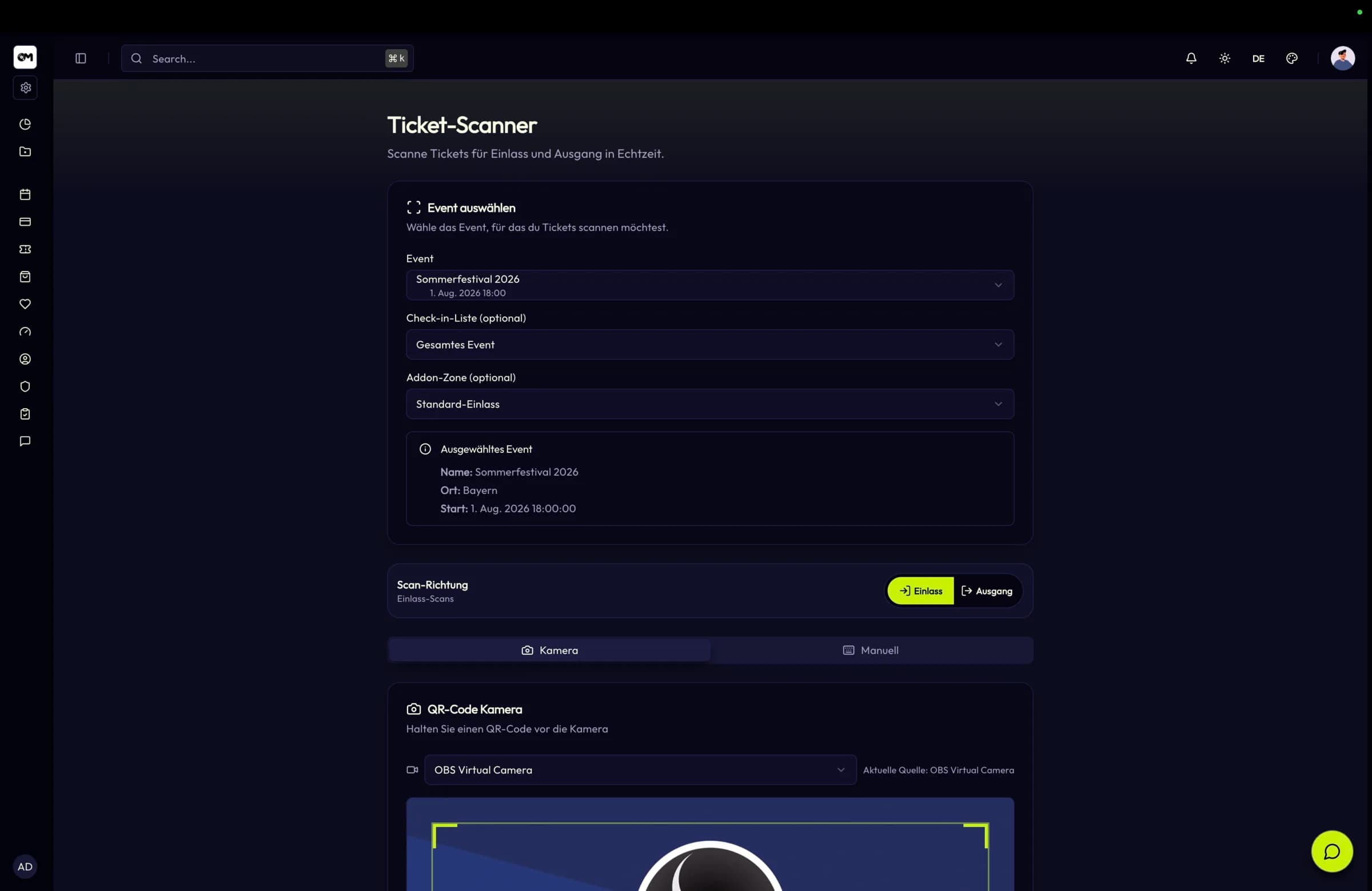
Several active check-in lists per event, each with its own ordering, description, allowed ticket types, scan statistics and CSV export.
Buyer questions per ticket type — text, textarea, select, checkbox and file — validated at purchase and stored per individual badge holder.
Sponsors are maintained in a project-wide pool and placeable in the ticket design, so a partner appears on the badge, the wallet pass and the PDF.
ZUGFeRD 2.x XML per invoice, DATEV-oriented CSV export and reverse charge under § 13b UStG for cross-border exhibitors.
At the hall entrance
The scanner sends the check-in list identifier and the backend validates event assignment, active state and permitted ticket types before accepting the scan. A visitor pass at the exhibitor entrance is rejected at the door, not sorted out afterwards.
Challenges
Hundreds of them, produced one at a time, from a registration list that changed twice that afternoon.
Exhibitors arrive during set-up, press needs its own desk, and a visitor pass must not open the exhibitor entrance.
A sponsor logo on a web page is easy to promise. On every badge in the hall it is a placement you can actually charge for.
Key facts
Workflow
Create visitor, exhibitor, press and set-up types, and attach the buyer questions each one has to collect.
Lay out the badge in the designer, drop in the exhibitor logos from your sponsor pool and pick the format.
Give each door its own check-in list with the pass types it accepts and any field it has to record.
Export the complete badge PDF batch, then scan visitors in and export the per-list CSV afterwards.
Features
A canvas editor for tickets, conference badges and attendance certificates, with dynamic tokens, themes and sponsor logos.
QR check-in and check-out, multiple check-in lists per event, temporary scanner accounts and on-site data capture with CSV export.
A project-wide sponsor pool, per-event control over which sponsors appear, and sponsor logos placed directly on the ticket.
Invoices with ZUGFeRD 2.x XML, DATEV-oriented CSV export, reverse charge under § 13b UStG and configurable account mapping.
FAQ
Design the badge, set up the entrances and export the batch before doors open.